Mac
Floats over Mac windows, with no window around it. Resize it, move it, lock it so clicks pass through.

A visual timer for people with ADHD and time blindness. It floats over Mac windows, lives as a widget that is the timer, sits on your wrist and plays on Apple TV — accurate through sleep, with Blocks and Routines when you want them, and no account. The disc shrinks as the minutes pass, so you know where you stand without reading a number — or remembering to check.


iPhone, Mac, Apple Watch and Apple TV. No account.

One timer, kept in sync by the clock, on the screen you happen to be looking at.
Floats over Mac windows, with no window around it. Resize it, move it, lock it so clicks pass through.
A widget that is the timer, on your wallpaper. The Dynamic Island keeps it in view; a Live Activity keeps it on the Lock Screen.
Set it with the Digital Crown. Glance at your wrist, or at the complication on your watch face.
The timer at room scale, readable from the couch or the kitchen. Set it with the Siri Remote.
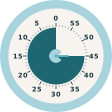
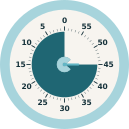
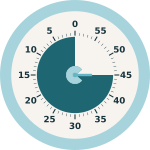
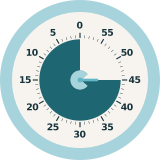
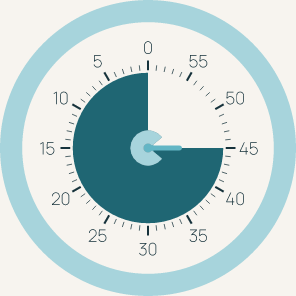
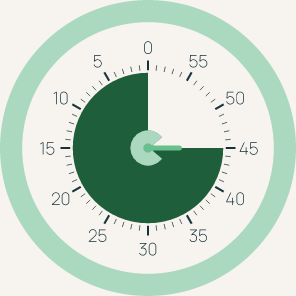
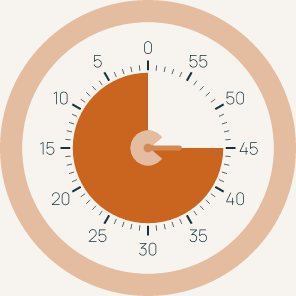
Numbers count down from 0, the disc fills to the minutes you set, and the C at the center turns to follow its edge. A glance tells you how much is left; you never have to do the math.
Drag the edge of the disc to the minute you want, or tap a preset. It snaps to whole minutes with a click.
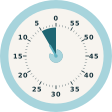
The disc is the time. Half a disc is half your time, a sliver means wrap it up — no arithmetic, no reading.
A sound you chose, a notification, and an empty face. Nothing flashes, nothing turns red.
ADHD comes with time blindness: the minutes don’t register until they’re gone. A number on a clock asks you to notice it, do the subtraction and remember the answer. A disc that shrinks does none of that — it sits in the corner of your eye and you simply know. ClearTime keeps that disc in front of you wherever you’re working, and adds a few small things that make a timer easier to start, easier to stay with, and harder to miss. It is not a task manager.
Chain timers: 25 on, 5 off, four times, then a long break. The break runs in its own color and finished blocks tally up for the day.
The hardest part is starting. One tap starts a five-minute timer; when it ends, +5 keeps you going without deciding anything.
A thought arrives mid-block. Jot one line without leaving the timer, and get the list back when the block ends.
A soft haptic or tick at five minutes and one minute left, for when a shrinking disc in the corner of your eye isn't enough.
I have ADHD. Keeping the time where I can see it — not on a clock I have to remember to check, but as a shape that shrinks while I work — is what has kept me on task. I built ClearTime to do exactly that on every screen I own. [One or two lines in your own words: what a normal day looked like before, and what changed.] If your brain works like mine, I hope it does the same for you.

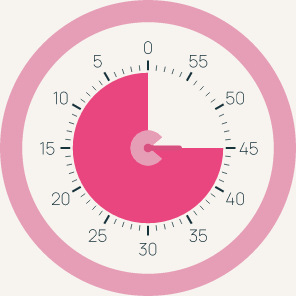
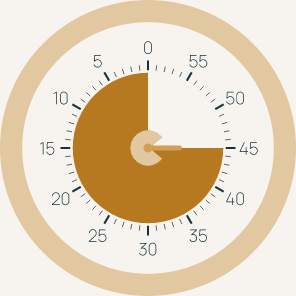
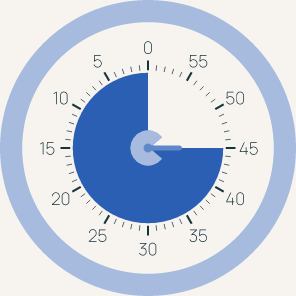
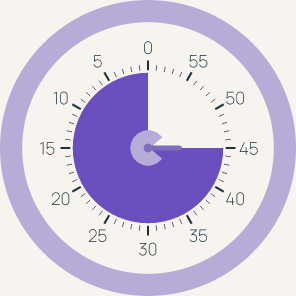
Pick the disc; the bezel and the C follow. Seven presets. Custom colors come later with ClearTime Plus.
A free core on every Apple screen, and one upgrade. ClearTime Plus is a one-time purchase, with Family Sharing on.
Everything you need to see how much time you have left.
The extra pieces for staying with the work.
See how much time you have left — on iPhone, Mac, Apple Watch and Apple TV.
On the App Store as ClearTime: Visual Timer. On your devices, ClearTime. Store links are placeholders until the listing is live.